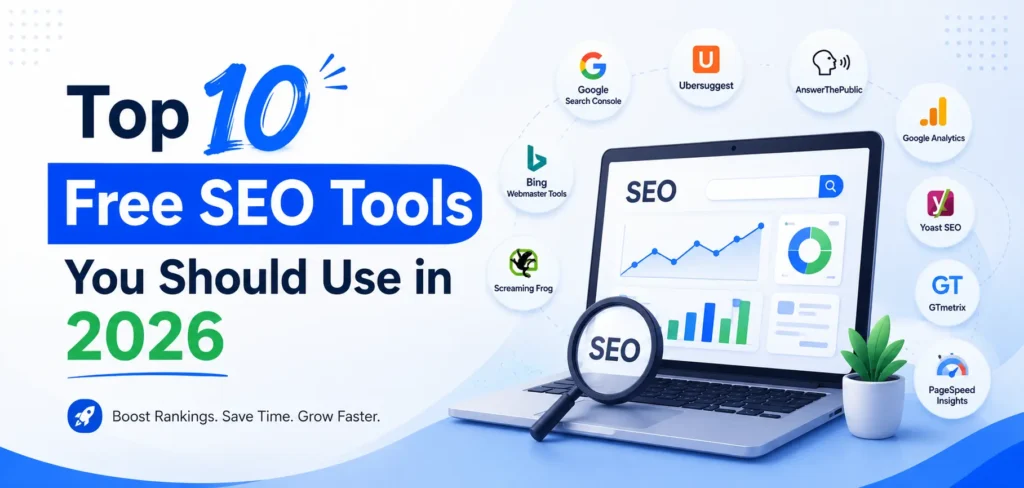
Top 10 Free SEO Tools You Should Use in 2026
You don’t need a big budget to do great SEO in 2026. You need the right free tools and a little patience. The ten tools in this guide cover everything a beginner or a busy business owner actually needs: checking how Google sees your site, finding keywords people are typing, fixing technical problems, and getting ready for AI search like Google’s AI Overviews and ChatGPT. Best of all, every single one of them costs nothing to start.
Table of Contents
ToggleI’ve used all of these on real websites, so I’ll tell you what each tool is good for, plus one honest tip to help you get more out of it. Let’s get into it.
Why free SEO tools are more than enough to start
Here’s something the paid-tool ads won’t tell you: the most important SEO tools on the planet are already free, and Google itself makes most of them. Paid platforms are powerful, but they mostly repackage data you can get for free when you’re starting out.
If you’re new to all this, I’d suggest reading what SEO is and why it matters for your business first, then coming back here to build your toolkit. The free tools below will take you a long way. They’ll help you spot what’s broken, find what your customers are searching for, and track whether your hard work is paying off. You only need to think about paid tools once you’ve outgrown these, and most small businesses take a while to get there.
The Top 10 Free SEO Tools to Use in 2026
1. Google Search Console
If you only use one tool from this list, make it this one. Google Search Console shows you exactly how Google sees your website. You can see which keywords already bring people to your site, which pages get clicks, and whether Google is having trouble reading any of your pages.
It also flags technical problems before they hurt you, like pages that won’t show up in search or slow-loading pages.
My tip: Open the “Performance” report and sort your keywords by impressions. You’ll often find searches where you rank on page two. Improve those pages a little, and you can jump to page one without creating anything new.
2. Google Analytics 4
Search Console tells you how people *find* you. Google Analytics 4 (GA4) tells you what they *do* after they arrive. You can see how many visitors you get, which pages they love, how long they stay, and whether they take action like filling a form or calling you.
For a business owner, that last part is gold. Traffic feels nice, but conversions pay the bills.
My tip: Don’t drown in the hundreds of reports. Start by watching three numbers: total users, engaged sessions, and conversions. Once those make sense, explore the rest.
3. Google Keyword Planner
Keyword research sounds intimidating, but it just means finding the words your customers type into Google. Keyword Planner, which comes free with a Google Ads account, shows you search volumes and related keyword ideas straight from Google’s own data.
You don’t have to run a single ad to use it. Just create the account and head to the planner.
My tip: Type in a service you offer, then look at the “related keywords.” You’ll often discover phrases your customers use that you never would have guessed, and those are the easy wins.
4. Bing Webmaster Tools
Everyone obsesses over Google and forgets Bing. That’s a mistake in 2026, because Bing powers a lot of AI search, including parts of Microsoft Copilot. Bing Webmaster Tools is free, and it includes a genuinely useful keyword research feature that many people never touch.
My tip: Connect your site here the same day you connect Search Console. It takes ten minutes and gives you a second source of free keyword and ranking data.
5. Ahrefs Webmaster Tools
Backlinks, which are links from other websites to yours, still help you rank. Ahrefs Webmaster Tools lets you check your backlinks and run a basic site audit for free, as long as you verify that you own the website.
You get a slice of one of the best paid tools in the industry without paying a rupee.
My tip: Run the free site audit once a month. It hands you a simple health score and a to-do list of issues, which is perfect if you don’t know where to start.
6. Screaming Frog SEO Spider
This one sounds technical, and it is, but stay with me because it’s worth it. Screaming Frog crawls your website the same way Google does and reports back on broken links, missing page titles, duplicate content, and redirect problems. The free version crawls up to 500 URLs, which covers most small business websites completely.
My tip: Run a crawl, then sort by “Response Codes.” Any page showing a “404” is a broken link your visitors are hitting. Fix those first, because they frustrate people and waste Google’s time.
7. Google PageSpeed Insights
A slow website quietly costs you customers and rankings. PageSpeed Insights checks how fast your pages load on both mobile and desktop, then gives you a clear list of what’s slowing things down.
My tip: Focus on the mobile score, because that’s how most people visit you. If the report mentions large images, that’s usually the quickest fix and the biggest speed boost.
8. Ubersuggest
Ubersuggest is a friendly, beginner-focused tool for keyword and content ideas. The free version has daily limits, but it’s perfect when you want quick inspiration: type a topic and it suggests keywords, questions people ask, and even blog ideas around it.
My tip: Use the “content ideas” feature to see which articles in your niche already get traffic. It’s a shortcut to topics you know people care about.
9. Google Trends
Google Trends shows you whether interest in a topic is rising or falling, and how it changes through the year. For a local business, it’s brilliant for spotting seasons, like when “AC repair” spikes every summer.
My tip:Compare two keywords side by side before you commit to one. Sometimes the phrase you assumed was popular is actually fading, and a close alternative is climbing.
10. AnswerThePublic and Keyword Surfer
These two free tools help you write content that answers real questions, which matters more than ever now that AI search and voice assistants reward clear, direct answers. AnswerThePublic shows you the questions people ask around a topic, and Keyword Surfer (a free Chrome extension) shows search volumes right inside Google results.
My tip: Turn the questions you find into headings and FAQ sections on your pages. That single habit helps you show up in Google’s AI Overviews and “People Also Ask” boxes.
Free tools vs paid tools: when should you upgrade?
I’ll be straight with you. Free tools have limits. They cap how much data you see, how many keywords you can track, and how many competitors you can spy on. But for most small and local businesses, that’s fine for a long time.
You should think about paid tools only when you hit a real ceiling, like managing many websites, tracking hundreds of keywords daily, or doing deep competitor research every week. Until then, spending money on tools is usually the wrong move. Spend that time learning to use the free ones well instead.
That said, tools only show you the problems. Fixing them across a whole website, and doing it in the right order, takes time and know-how that many busy owners simply don’t have. If you’d rather hand that off and focus on running your business, professional SEO services in Delhi NCR can turn these tool reports into actual rankings and leads, without you having to learn every tool yourself.
How to put these tools together (a simple starting routine)
If this list feels like a lot, here’s a calm way to begin. In week one, set up Google Search Console, Google Analytics 4, and Bing Webmaster Tools. In week two, run Screaming Frog and PageSpeed Insights to find and fix the obvious technical problems. From week three onward, use Keyword Planner, Ubersuggest, Google Trends, and AnswerThePublic to plan content people are actually searching for.
Do that, and you’ll already be ahead of most of your competitors, many of whom never check any of this.
Frequently Asked Questions
Are free SEO tools enough for a small business?
Yes, for most small and local businesses they are more than enough to start. Google Search Console, Analytics, and a crawler like Screaming Frog cover the essentials. You only need paid tools once you’re managing large sites or tracking a lot of keywords.
Which free tool is best for keyword research?
Google Keyword Planner gives you data straight from Google, so it’s the most reliable free option. Pair it with Ubersuggest for content ideas and AnswerThePublic for question-based keywords, and you’ve got a strong, free keyword toolkit.
Can I really do SEO without paid tools?
Absolutely. Plenty of websites rank on page one using only free tools and consistent effort. Paid tools save time and add depth, but they don’t replace the fundamentals: a fast site, helpful content, and pages that answer what people search for.
Do these free tools help with AI search and Google AI Overviews?
They do. Search Console shows which queries trigger your pages, and tools like AnswerThePublic help you write the clear, direct answers that AI search loves to pull from. Getting cited in AI Overviews starts with the same fundamentals these tools support.
Final thoughts
Great SEO in 2026 isn’t about expensive software. It’s about understanding your website, knowing what your customers search for, and steadily fixing the things that hold you back. These ten free tools give you everything you need to do exactly that.
Start with one or two this week. Get comfortable. Then add the rest. And if you ever reach the point where you’d rather have an expert handle the heavy lifting, you’ll know exactly which problems to point them at, because you’ll have seen the data yourself.
Want a hand turning these reports into real rankings? Get in touch with SEO Pathshala and let’s build a plan around your business.

Abhay Saxena is an experienced SEO strategist, digital marketing consultant, and founder of SEO Pathshala, based in Delhi, India. With over 7 years of hands-on experience in Search Engine Optimization, he has helped businesses enhance their online visibility, improve organic rankings, and achieve measurable growth through structured and data-driven SEO frameworks.
His core expertise includes Technical SEO, Local SEO, Core Web Vitals optimization, Google Search Console strategy, GA4 analytics insights, and AI-powered search optimization including AEO (Answer Engine Optimization) and WebMCP integration.
Abhay is passionate about simplifying complex SEO concepts and regularly shares practical tutorials, industry insights, and real-world strategies through SEO Pathshala. His mission is to empower marketers, entrepreneurs, and business owners with sustainable SEO strategies that align with the evolving AI-first search ecosystem.