
Schema Markup Implementation Guide: JSON-LD, Step by Step (2026)
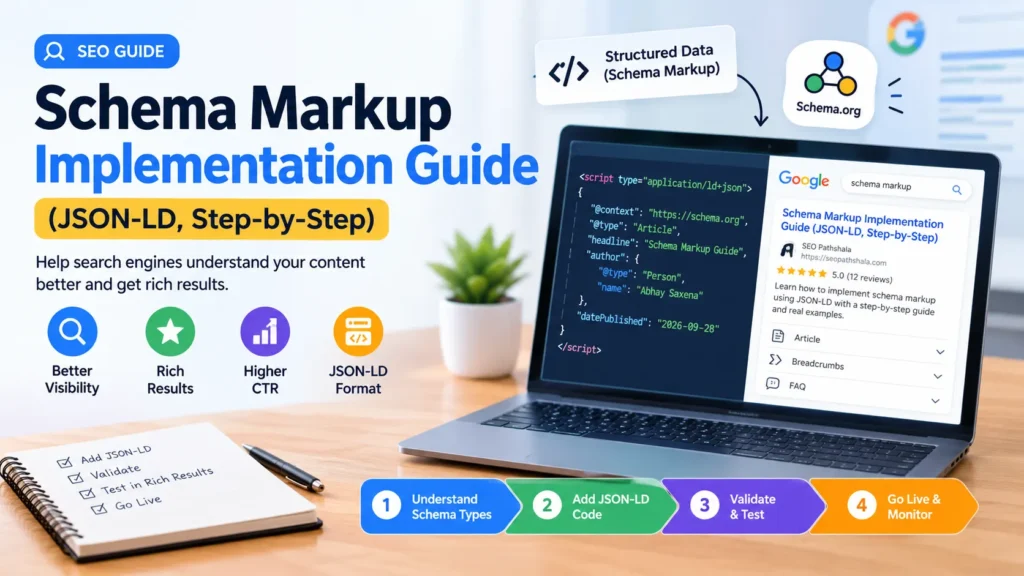
Schema markup is JSON-LD code that labels what a page contains so Google can read it without guessing. Implement it in five steps: match each type to visible content, check what your SEO plugin already outputs, write one linked @graph, insert it with WPCode, then validate in two tools and monitor Search Console.
Table of Contents
ToggleA lot of schema advice online predates Google’s 2026 changes. FAQ and HowTo markup, the two types people used to add first, no longer earn a rich result in Google, so a modern implementation looks different. Here is the process I follow, from choosing types to validating the live page.
What Is Schema Markup, and Why Use JSON-LD?
Schema markup is structured data, written with the schema.org vocabulary, that gives Google explicit clues about what a page is and what it contains. Google’s introduction to structured data lists three supported formats: JSON-LD, Microdata and RDFa. All three work if the markup is valid, but Google recommends JSON-LD whenever your setup allows it because it is the easiest to implement and maintain at scale.
JSON-LD lives in a single script tag, separate from your visible text, and Google reads it from either the head or the body of the page. For a WordPress site, that means you can add, change or remove it without rewriting a theme template.
Which Schema Types Are Still Worth Adding in 2026?
Add the types that describe your page truthfully and that Google still supports: for a typical business blog that means Article, Organization and a Person for the author, plus LocalBusiness, Breadcrumb, Video or Product where the page really is about those things. Google’s supported structured data gallery, last updated on 16 October 2026, lists 25 features.
Two familiar names are missing from it. Google stopped showing FAQ rich results on 7 May 2026 and deleted the FAQ documentation on 15 June 2026, as recorded in its documentation changelog. HowTo rich results were withdrawn in 2023. FAQPage and HowTo are still valid schema.org vocabulary, but they no longer earn dropdowns or step carousels in Google. Google also retired several lesser-used types in 2025, including Course Info, ClaimReview, Estimated Salary, Learning Video, Special Announcement and Vehicle Listing, according to its announcement on simplifying search results.
| Schema type | Use it on | Google status (October 2026) |
|---|---|---|
| Article | Blog posts and guides | Supported |
| Organization | Homepage or About page, referenced from other nodes | Supported |
| Profile page | A page about one person or organization, such as an author page | Supported |
| Local business | Pages about a physical business location | Supported |
| Breadcrumb | Any page with a visible breadcrumb trail | Supported |
| Video | Pages with an embedded video | Supported |
| Product and Review snippet | Product pages with genuine reviews | Supported |
| FAQPage | Visible FAQ sections | No rich result since 7 May 2026 |
| HowTo | Step-by-step guides | No rich result; documentation removed |
If you run location pages, pair Local business markup with a well-built profile; my Google Business Profile optimization playbook covers that side.
How Do You Implement JSON-LD Schema Markup Step by Step?
You implement JSON-LD schema in five steps, and none of them require editing theme files or touching code on your server.
Step 1: Match Each Schema Type to Visible Content
Every property in your markup must be backed by something a visitor can see on the page. Google’s general structured data guidelines say not to mark up content that is hidden from readers, and not to mark up anything irrelevant or misleading. In practice: if your Article markup names an author, the page needs a visible byline; if it carries a headline, that headline must match your H1.
Step 2: Check What Your SEO Plugin Already Outputs
Before you add anything, find out what is already on the page, because popular WordPress SEO plugins such as Yoast and Rank Math output schema automatically. Open the live post, view the page source (right-click, then View page source), search for ld+json, and note the @type and @id of every block. You can also paste the URL into Google’s Rich Results Test, or extract structured data across the whole site in a crawler such as Screaming Frog.
This matters because Yoast builds one connected @graph, and its schema integration guidelines warn that you may need to de-duplicate if you output the same pieces. They also explain how to connect your own nodes: the WebPage node uses the page URL as its @id, so you link to it with isPartOf or mainEntityOfPage. Skipping this check is how duplicate Article or BreadcrumbList nodes end up on a page, and it is why structured data has its own step in my technical SEO audit process. If you would rather have the whole check run for you, that is part of my technical SEO services in Delhi NCR.
Step 3: Write One Linked @graph
Put everything into a single script with one @context and a @graph array, give each node an @id, and reference nodes instead of repeating them. Google’s own guidance uses @id to link related items, for example to tell it that a video belongs to a recipe on the same page. Without the link, Google may not connect the two. Use the fewest properties you can, but make each one complete and accurate; Google says a short, correct set beats a long one filled with weak data.
Step 4: Add the Code Without Touching Theme Files
Use a code-snippet plugin such as WPCode instead of editing functions.php or a theme template, so a theme update cannot wipe your markup. Paste the full script block, limit it to the single URL it describes, and save. Then purge your cache plugin, so the HTML Google fetches contains the new markup.
Step 5: Validate in Two Tools, Then Confirm in Search Console
Run the live URL through both validators, because they answer different questions. Google’s Rich Results Test checks whether the page is eligible for Google’s supported features. The Schema Markup Validator checks every schema.org type for correct syntax but ignores Google-specific requirements.
After that, use the URL Inspection tool in Search Console to confirm Google has found the structured data, and watch the rich result status reports for errors that appear after deployment. Templating or caching changes can break markup later, so re-test after theme, plugin and cache updates.
What Does a Complete Article Schema Look Like?
A complete Article schema is one @graph that holds the Article, its author, its publisher and its main image, all linked by @id. Replace every placeholder below with values that match your page; the wrapper is a script tag with the type application/ld+json.
{
  "@context": "https://schema.org",
  "@graph": [
    {
      "@type": "Article",
      "@id": "https://example.com/your-post/#article",
      "headline": "Your exact visible H1",
      "datePublished": "2026-10-21T09:00:00+05:30",
      "dateModified": "2026-10-21T09:00:00+05:30",
      "author": { "@id": "https://example.com/about/#person" },
      "publisher": { "@id": "https://example.com/#organization" },
      "image": { "@id": "https://example.com/your-post/#primaryimage" },
      "mainEntityOfPage": { "@id": "https://example.com/your-post/" }
    },
    {
      "@type": "Person",
      "@id": "https://example.com/about/#person",
      "name": "Author Name",
      "url": "https://example.com/about/"
    },
    {
      "@type": "Organization",
      "@id": "https://example.com/#organization",
      "name": "Your Brand",
      "url": "https://example.com/"
    },
    {
      "@type": "ImageObject",
      "@id": "https://example.com/your-post/#primaryimage",
      "url": "https://example.com/wp-content/uploads/hero.webp",
      "width": 1536,
      "height": 864
    }
  ]
}
What Are the Most Common Schema Markup Mistakes?
The most common schema mistakes are duplicate nodes, invisible content and stale data, and all of them are easy to catch with a crawl.
- Duplicate nodes: a plugin and a custom snippet both output an Article or BreadcrumbList for the same page.
- Markup for content nobody can see: against Google’s guidelines even when the information is accurate.
- Missing required properties: an item without them is not eligible for rich results.
- Stuffing every recommended field: incomplete or inaccurate extras do more harm than leaving the property out.
- Outdated values: an old dateModified, price or event time on a page that has changed; Google asks for up-to-date information.
- Chasing retired features: adding FAQPage or HowTo and expecting a rich result.
Does Schema Markup Help AI Search and AI Overviews?
Google says its AI features guidance requires no special schema or extra markup to appear in AI Overviews or AI Mode, only that any structured data you use matches the visible text. Treat schema as a clarity layer on top of crawlable, answer-first content, not as a switch that earns citations.
If AI visibility is your goal, the content structure matters more: start with my guides to Answer Engine Optimization (AEO) and Generative Engine Optimization, and see where schema sits among the on-page SEO factors that still matter.
Frequently Asked Questions
What is the best format for schema markup?
JSON-LD is the best format for most sites. Google supports JSON-LD, Microdata and RDFa equally when they are valid, but it recommends JSON-LD because it is the easiest to implement and maintain at scale.
Does schema markup improve rankings?
Google presents structured data as a way to help it understand a page and make the page eligible for rich results; its documentation does not promise a ranking boost. Even correct markup does not guarantee that a rich result will appear.
Should I still add FAQ schema in 2026?
Not for rich results. Google stopped showing FAQ rich results on 7 May 2026. FAQPage is still valid schema.org vocabulary, so keeping it on a visible FAQ section is harmless, but it will not add dropdowns to your Google listing.
Can I use more than one schema type on a page?
Yes. Google understands multiple items on one page, whether you nest them or list them separately. If items belong together, link them with @id so Google knows how they relate.
How long does it take Google to pick up new schema?
Google says recrawling can take a few days to a few weeks. Requesting indexing for the same URL repeatedly will not make it faster, so request once, then monitor Search Console.
Need Schema Markup Implemented and Verified on Your Website?
If you want schema set up correctly, tested on the live page and monitored after launch, see my SEO services or call now to talk through your site.

Abhay Saxena is an experienced SEO strategist, digital marketing consultant, and founder of SEO Pathshala, based in Delhi, India. With over 7 years of hands-on experience in Search Engine Optimization, he has helped businesses enhance their online visibility, improve organic rankings, and achieve measurable growth through structured and data-driven SEO frameworks.
His core expertise includes Technical SEO, Local SEO, Core Web Vitals optimization, Google Search Console strategy, GA4 analytics insights, and AI-powered search optimization including AEO (Answer Engine Optimization) and WebMCP integration.
Abhay is passionate about simplifying complex SEO concepts and regularly shares practical tutorials, industry insights, and real-world strategies through SEO Pathshala. His mission is to empower marketers, entrepreneurs, and business owners with sustainable SEO strategies that align with the evolving AI-first search ecosystem.