
Complete Technical SEO Audit Process: My 5-Step Framework
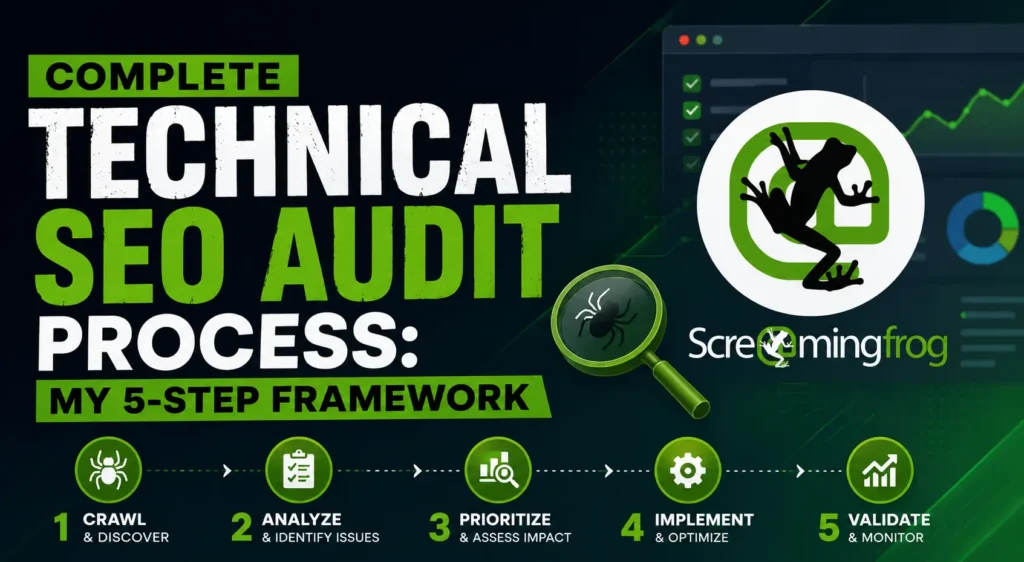
A technical SEO audit is a structured review of a website’s crawlability, indexability, site speed, and structured data to find what’s blocking search visibility. My own process runs in five steps — full-site crawl, indexability check, Core Web Vitals review, on-page and schema audit, and a prioritized fix roadmap — using Screaming Frog as the core crawling tool alongside Google Search Console and PageSpeed Insights.
Table of Contents
ToggleI get asked some version of the same questions on almost every client call: how long does a technical SEO audit actually take, what tools do I need, and can I just do this myself instead of hiring someone. So instead of giving a generic answer each time, here’s my actual 5-step framework — the same one I run for every client, including the exact Screaming Frog settings I use and where most audits go wrong.
Why I Built This Framework
Early in my SEO career, I used to audit sites the way most checklists tell you to — start at the top, work through a list of 50+ items, and hope nothing important gets missed. The problem is that generic checklists don’t tell you what to prioritize, and technical SEO issues aren’t equally important. A broken canonical tag on a low-traffic page matters a lot less than a crawl budget problem eating into your top 20 revenue pages.
So over the past several years of running technical SEO audit services in Delhi NCR for clients across industries, I narrowed everything down to five steps, run in a specific order, each one feeding into the next. This is that process.
My 5-Step Technical SEO Audit Framework
Step 1: Full-Site Crawl & Architecture Mapping
Every audit I run starts with a full crawl using Screaming Frog SEO Spider. I configure it to respect robots.txt initially (to see the site the way Googlebot does), then run a second crawl ignoring robots.txt to catch anything accidentally blocked. This step surfaces the structural issues that everything else depends on: orphan pages with no internal links pointing to them, redirect chains and loops, broken internal and external links, and duplicate title tags or meta descriptions across the site.
I export the crawl into Screaming Frog’s site structure visualization to see how deep important pages sit in the architecture — anything more than 3–4 clicks from the homepage is a flag, because it usually means those pages get crawled less frequently and rank worse as a result.
Step 2: Indexability & Crawlability Audit
Once I know the site’s structure, I check whether Google can actually crawl and index what matters. This means cross-referencing the Screaming Frog crawl against Google Search Console’s Coverage/Indexing report, checking the XML sitemap for accuracy (no 404s, no noindexed pages included), reviewing robots.txt for accidental blocks, and auditing canonical tags for conflicts — a page canonicalizing to the wrong URL is one of the most common reasons a well-optimized page never ranks.
I also check crawl budget signals here: how many low-value pages (filtered category pages, thin tag archives, old paginated content) are eating into Google’s crawl allocation for a site, since this matters more for larger sites than for small business websites.
Step 3: Core Web Vitals & Page Experience Review
Next, I move to page speed and experience. I run PageSpeed Insights and Lighthouse across a representative sample of page templates (homepage, category page, product/service page, blog post) rather than every single URL — this is enough to catch template-level issues affecting Largest Contentful Paint (LCP), Interaction to Next Paint (INP), and Cumulative Layout Shift (CLS). I also use Screaming Frog’s PageSpeed Insights API integration to pull Core Web Vitals data across the full crawled site at once, which is faster than testing pages one by one manually.
Step 4: On-Page & Structured Data Audit
With the technical foundation checked, I audit on-page elements and schema markup — this is where I typically reference my own on-page SEO factors that still matter checklist to make sure nothing gets skipped. Screaming Frog extracts existing structured data across the crawl, which I validate against Google’s Rich Results Test and Schema.org guidelines, checking for missing required properties, duplicate schema types on the same page, and outdated markup that no longer matches the page content.
Step 5: Prioritized Fix Roadmap & Reporting
This is the step most generic audits skip, and it’s the one that actually matters to a client. I don’t hand over a 40-page list of every issue found — I categorize every issue by impact (how much traffic or revenue it likely affects) versus effort (how hard it is to fix), and deliver a roadmap ordered by that priority. After fixes are implemented, I re-crawl the site with Screaming Frog to confirm each issue is actually resolved, rather than assuming a fix worked.
How Long Does a Technical SEO Audit Take?
For a small business site (under 200 pages), I typically complete the full 5-step process in 3–5 business days. Larger or e-commerce sites with thousands of URLs can take 2–3 weeks, mainly because Step 1’s crawl and Step 5’s re-testing both scale with site size.
Can You Do a Technical SEO Audit Yourself?
Yes, to a point. Screaming Frog’s free version (up to 500 URLs) combined with Google Search Console covers a meaningful chunk of Steps 1 and 2 for a small site. Where most DIY audits fall short is Step 5 — knowing which of the 30 issues you found actually matter enough to fix first usually takes having audited enough sites to recognize the patterns.
Frequently Asked Questions
What is a technical SEO audit?
A technical SEO audit is a review of a website’s crawlability, indexability, site speed, and structured data to identify issues preventing search engines from properly crawling, understanding, or ranking the site.
What tools do I need for a technical SEO audit?
At minimum: a site crawler (I use Screaming Frog), Google Search Console, and PageSpeed Insights or Lighthouse for Core Web Vitals. Schema validation tools like Google’s Rich Results Test round out the essentials.
How often should I run a technical SEO audit?
I recommend a full audit every 6–12 months for most sites, with a lighter Screaming Frog crawl after any major site change — a redesign, CMS migration, or large content push.
Is Screaming Frog enough for a full technical SEO audit?
It covers the crawl-based steps (architecture, indexability, structured data extraction) very well, but a complete audit still needs Google Search Console for real indexing data and PageSpeed Insights for Core Web Vitals, since Screaming Frog works from a simulated crawl rather than real user data.
What's the most common technical SEO issue you find in audits?
Crawlability and indexability conflicts — pages accidentally noindexed, canonicalized to the wrong URL, or blocked in robots.txt without anyone realizing. These are usually invisible until someone runs a proper crawl.
Need a Technical SEO Audit for Your Website?
If you’d rather have this process run on your site than DIY it, get in touch for technical SEO audit services in Delhi NCR — or call now to discuss what’s currently holding your site back.

Abhay Saxena is an experienced SEO strategist, digital marketing consultant, and founder of SEO Pathshala, based in Delhi, India. With over 7 years of hands-on experience in Search Engine Optimization, he has helped businesses enhance their online visibility, improve organic rankings, and achieve measurable growth through structured and data-driven SEO frameworks.
His core expertise includes Technical SEO, Local SEO, Core Web Vitals optimization, Google Search Console strategy, GA4 analytics insights, and AI-powered search optimization including AEO (Answer Engine Optimization) and WebMCP integration.
Abhay is passionate about simplifying complex SEO concepts and regularly shares practical tutorials, industry insights, and real-world strategies through SEO Pathshala. His mission is to empower marketers, entrepreneurs, and business owners with sustainable SEO strategies that align with the evolving AI-first search ecosystem.