
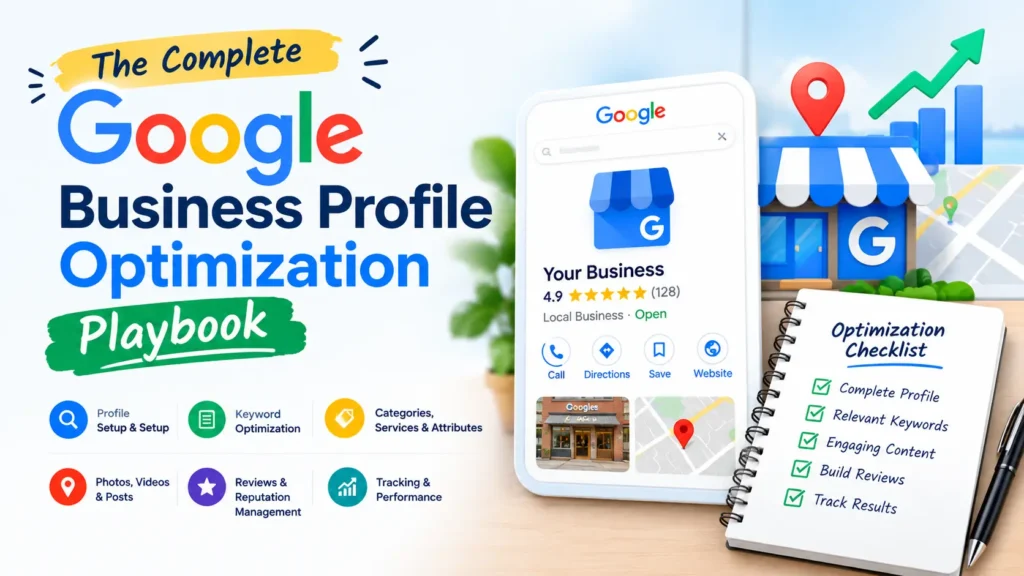
The Complete Google Business Profile Optimization Playbook for 2026
Google Business Profile optimization is the process of completing, verifying and continuously improving your Google listing so it ranks in the Map Pack, Google Maps and AI-generated local answers. This playbook covers every setting, category, photo and post type that affects visibility, step by step.
I’m Abhay Saxena, and I’ve spent 8+ years optimizing listings for clinics, service providers and shops across Delhi NCR. This guide is the exact order of work I follow. If you only need quick wins first, start with my shorter guide: Top 5 Google Business Profile Optimization Tips.
What You Will Learn
- What GBP optimization is and why it matters in the AI search era
- How Google ranks business profiles
- How to claim, verify and structure your profile
- Categories, descriptions, services, photos, posts and reviews
- How GBP feeds AI Overviews, ChatGPT and Gemini
- Mistakes that trigger suspensions, plus a maintenance checklist
What Is Google Business Profile Optimization?
Google Business Profile (GBP), formerly Google My Business, is the free listing that appears in Google Search and Google Maps when someone looks for a local business. Optimization means making every field accurate, complete and relevant to the searches your customers actually make.
Done well, it improves three things: where you appear (Map Pack and Maps rankings), how you look (photos, reviews, services) and how often people act (calls, direction requests, website visits).
Table of Contents
ToggleWhy Does Google Business Profile Optimization Matter in 2026?
Local searchers rarely scroll past the first few results. Your profile is usually the first thing they see, often before your website. In 2026 it also matters for a second reason: AI systems pull local facts (hours, services, ratings, location) from Google’s own business data.
- Map Pack visibility: the three-listing block above organic results for “near me” and city searches.
- Google Maps discovery: people browsing categories such as “dentist” or “car rental” see profiles, not websites.
- AI Overviews and AI Mode: local answers depend on structured, consistent business information.
- Trust: photos, reviews and complete details decide who gets the call.
If you’d rather have a specialist handle this, my Google Business Profile optimization services cover setup, ongoing management and review strategy for Delhi NCR businesses.
How Does Google Rank Business Profiles?
Google states that local results are based mainly on relevance, distance and prominence. You can’t change distance, but you can influence the other two heavily.
| Ranking Factor | What It Means | What You Control |
|---|---|---|
| Relevance | How well your profile matches the search | Primary and secondary categories, services, description, website content |
| Distance | How close you are to the searcher or searched location | Accurate pin placement and address (limited control) |
| Prominence | How well known and trusted your business is | Reviews, citations, backlinks, brand mentions, engagement |
For the wider picture beyond your profile, read Top 10 Local SEO Ranking Factors in 2026.
How Do You Claim and Verify Your Google Business Profile?
Search your exact business name on Google Maps first. If a listing exists, claim it rather than creating a duplicate, because duplicates split your signals and can cause suspensions.
- Sign in with a Google account your business will control long term (not an employee’s personal account).
- Go to google.com/business and search for or add your business name.
- Choose whether you serve customers at a location, at customer locations, or both.
- Enter your address (or service areas), phone number and website.
- Complete verification by the method offered: video, phone, email or postcard.
- Add a second owner or manager so you never lose access.
Pro tip from my client work: verify your website in Google Search Console with the same Google account before starting. It keeps ownership clean and simplifies performance tracking later.
Which Google Business Profile Category Should You Choose?
Your primary category is the strongest relevance signal on the profile, so pick the most specific option that matches your core service. Choose “Orthopedic clinic” rather than “Doctor”, or “Car rental agency” rather than “Business”.
- Set one primary category that describes what you are, not everything you do.
- Add secondary categories only for services you genuinely offer (Google allows up to nine).
- Check what your top-ranking local competitors use, then match only what is accurate for you.
- Review categories every quarter, since Google adds and retires options.
How Should You Write Your Business Name and Description?
Your business name must match your real-world signage and branding. Adding keywords or locations (“Best Dentist Delhi”) violates Google’s guidelines and is a common cause of suspension.
The description gives you up to 750 characters, with only the first line or two visible before “more”. Follow this structure:
- Open with who you are and where you operate, in plain language.
- State your main services and who they are for.
- Add one differentiator, such as years of experience or a specialization.
- Avoid links, promotional pricing, phone numbers and keyword stuffing.
How Do You Optimize Services, Products and Attributes?
These sections tell Google, and AI systems reading Google’s data, exactly what you offer. Many profiles leave them thin, which is an easy advantage.
| Profile Section | What to Add | Best Practice |
|---|---|---|
| Services | Every core service with a short description | Use the names customers search, not internal jargon |
| Products | Key products with photo, description and link | Keep items current; remove discontinued ones |
| Attributes | Wheelchair access, payment methods, identity attributes, amenities | Fill every attribute that truthfully applies |
| Business hours | Regular and special hours (festivals, holidays) | Update before holidays, not after |
| Links | Appointment, booking or menu URL | Send people to the exact conversion page |
What Photos and Videos Should You Upload?
Real photos build trust and lift engagement. Stock images are easy to spot and add little value. Upload a logo, a cover photo, exterior and interior shots, your team, and your work in progress.
| Media Type | Recommended Spec |
|---|---|
| Photos | JPG or PNG, 10 KB to 5 MB, minimum 720 × 720 px |
| Videos | Up to 30 seconds, up to 75 MB, 720p or higher |
| Logo | Square, clear on both light and dark backgrounds |
| Cadence | Add new photos weekly or fortnightly |
Name your files descriptively before uploading (for example, faridabad-clinic-reception.jpg) and avoid heavy filters or text overlays.
How Often Should You Publish Google Posts?
Posts let you share offers, events and updates directly on your profile. They won’t transform rankings alone, but they keep the listing fresh and give customers a reason to click.
- Updates: new services, project completions, announcements.
- Offers: time-bound discounts with a clear call to action.
- Events: workshops, sales, open days with dates.
A realistic rhythm is one post per week. Use a real photo, 100 to 300 words at most, and one clear button.
How Do You Get More Google Reviews?
Reviews are a core prominence signal and the biggest conversion factor on your profile. Volume, recency, rating and the words customers use all matter.
- Use the short review link from your dashboard and share it by WhatsApp, SMS, email or a QR code at your counter.
- Ask right after a good experience, when goodwill is highest.
- Suggest customers mention the specific service and area, without scripting the review.
- Reply to every review within a couple of days, positive and negative, in a helpful and human tone.
- Never offer discounts or gifts in exchange for reviews, and never gate reviews by sentiment. Both violate Google’s policies.
Why Do NAP Consistency and Citations Still Matter?
NAP stands for Name, Address, Phone. Conflicting details across directories, social profiles and your website weaken trust and confuse both Google and AI systems. Audit your website footer, contact page, social bios and top directories, then correct every mismatch. Use one exact format for your address and one primary phone number everywhere.
How Does Your Google Business Profile Affect AI Overviews, ChatGPT and Gemini?
AI answer engines need trustworthy, consistent entity data to recommend a local business. Your GBP is one of the most authoritative sources of that data, and it reinforces what your website says. This is where local SEO meets GEO and AEO.
| AI Search Need | GBP and Website Action |
|---|---|
| Clear entity identity | Same name, address, phone and description everywhere |
| Service understanding | Complete services list matched to dedicated website pages |
| Trust signals | Recent, detailed reviews and owner replies |
| Answerable content | FAQ sections and LocalBusiness schema on your location pages |
To go deeper, read my complete beginner’s guide to GEO and my breakdown of Answer Engine Optimization. For the fundamentals behind all of this, see how Local SEO impacts businesses.
What Google Business Profile Mistakes Cause Suspensions or Lost Rankings?
- Adding keywords or locations to the business name.
- Using a virtual office, PO box or co-working address as a storefront.
- Creating duplicate listings for the same location.
- Choosing too many or irrelevant categories.
- Showing an address for a service-area business that doesn’t serve customers there (hide it and list up to 20 service areas instead).
- Ignoring reviews or replying defensively.
- Letting hours go out of date.
- Buying or incentivizing reviews.
If your profile is already suspended, don’t create a new one. Fix the cause, then appeal through the official reinstatement form with proof of your business.
What Is the Google Business Profile Optimization Checklist?
| Task | Frequency |
|---|---|
| Verify NAP, hours, categories and attributes | Monthly |
| Add new photos or a short video | Weekly to fortnightly |
| Publish a Google Post | Weekly |
| Request and reply to reviews | Ongoing (reply within 48 hours) |
| Update services, products and special hours | When anything changes |
| Review performance and competitor profiles | Monthly |
| Full audit of categories and citations | Quarterly |
How Do You Measure Google Business Profile Performance?
Track calls, direction requests, website clicks, bookings and search terms in your profile’s performance view. Then connect it to your website data.
- Add UTM parameters to your GBP website and appointment links (source=google, medium=organic, campaign=gbp).
- Filter for that traffic in GA4 and set conversions for calls and form fills.
- Compare month over month, and note the effect of each change you make.
- Track Map Pack rankings for your top three service keywords from a few real locations.
Frequently Asked Questions
How long does Google Business Profile optimization take to show results?
Basic fixes like categories and services can show movement within a few weeks. Competitive markets often need two to three months of steady photos, posts and reviews.
Is Google Business Profile free?
Yes. Creating and managing a profile costs nothing. You only pay if you hire help or run Google Ads on top of it.
Can I rank on Google Maps without a physical shop?
Yes, if you’re a service-area business. Hide your address, define your service areas and follow Google’s eligibility rules.
How many reviews do I need to rank higher?
There is no magic number. Aim to match or beat the review count, rating and recency of the top three competitors in your area, and keep the flow consistent.
Does Google Business Profile help with AI search visibility?
Yes. AI tools rely on consistent, verified business data, and a complete profile supports that. It works best alongside a strong website and schema.
Final Thoughts: Optimize Once, Maintain Weekly
A fully optimized profile is built on accurate fundamentals, real media, genuine reviews and steady maintenance. Start with categories and services, then build your weekly habits. If you want expert hands on it, explore my Local SEO services in Delhi NCR or call me directly for a free profile review.

Abhay Saxena is an experienced SEO strategist, digital marketing consultant, and founder of SEO Pathshala, based in Delhi, India. With over 7 years of hands-on experience in Search Engine Optimization, he has helped businesses enhance their online visibility, improve organic rankings, and achieve measurable growth through structured and data-driven SEO frameworks.
His core expertise includes Technical SEO, Local SEO, Core Web Vitals optimization, Google Search Console strategy, GA4 analytics insights, and AI-powered search optimization including AEO (Answer Engine Optimization) and WebMCP integration.
Abhay is passionate about simplifying complex SEO concepts and regularly shares practical tutorials, industry insights, and real-world strategies through SEO Pathshala. His mission is to empower marketers, entrepreneurs, and business owners with sustainable SEO strategies that align with the evolving AI-first search ecosystem.